
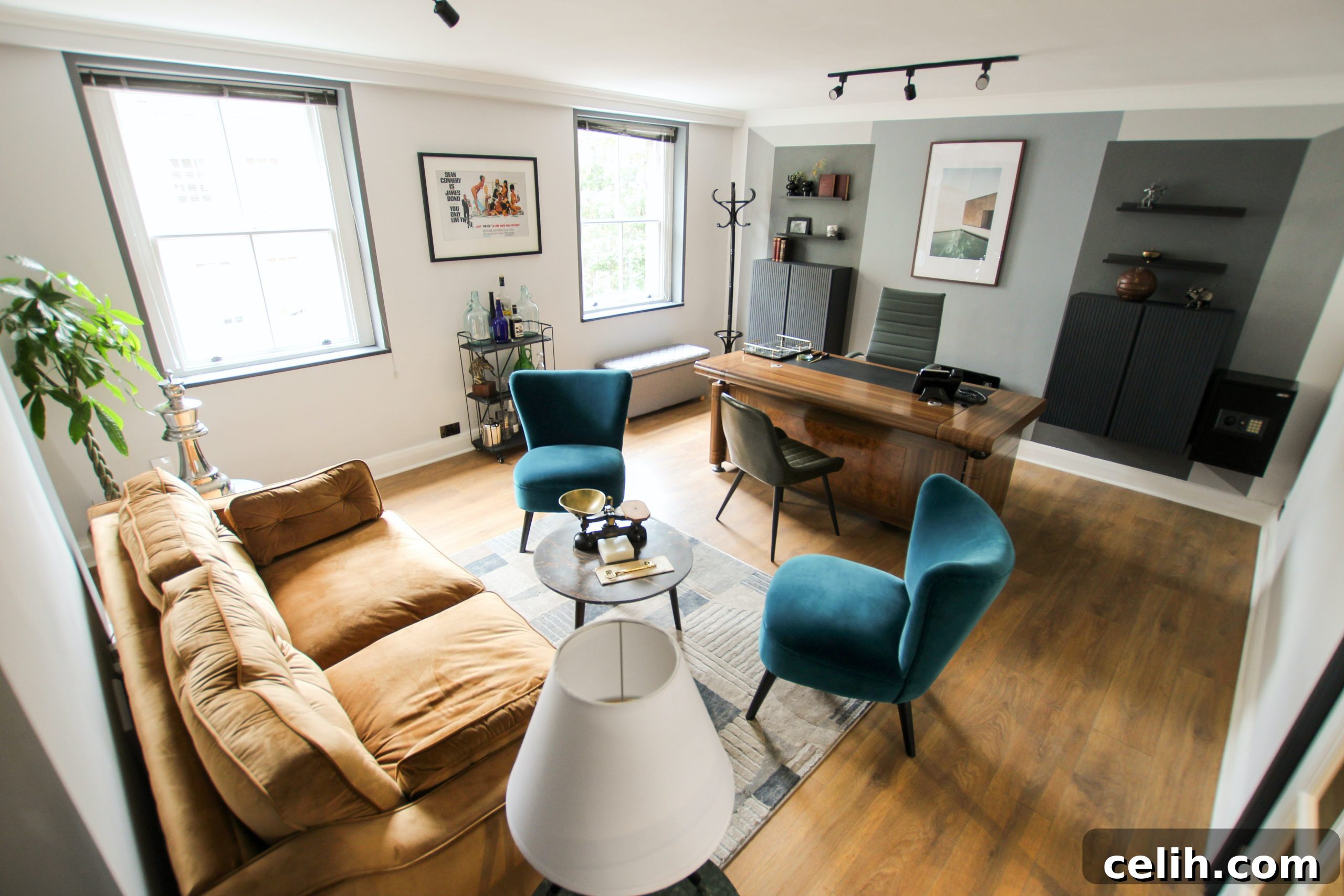
Welcome to the era of remote work, where the boundaries between professional life and personal space have beautifully blurred. If you’ve been granted the flexibility to work from home, you’re presented with a unique opportunity: to design a workspace that truly empowers you. This isn’t just about moving your laptop to the dining table; it’s about crafting a dedicated environment where focus thrives, creativity flows, and comfort is paramount. A well-designed home office is an investment in your productivity, your well-being, and ultimately, your career success. Without the right setup, you risk distractions, discomfort, and a significant dip in efficiency, which can lead to unnecessary stress and even physical ailments like backache.
Creating the perfect home office can seem daunting, with countless options for furniture and technology. It’s easy to either over-invest in unnecessary gadgets or underestimate the foundational elements required for sustained productivity. This comprehensive guide will walk you through the essential components for a truly effective and enjoyable home office, ensuring you have everything you need to excel in your remote role. From selecting the right technology to optimizing your physical space, we’ll cover every detail to help you build an environment tailored to your professional needs and personal comfort. Let’s delve into the crucial elements that will transform any corner of your home into a powerhouse of productivity.
The Foundation: A Powerful Computer System
At the heart of every productive home office is a reliable and powerful computer. Depending on your profession, your needs might range from a high-performance desktop with multiple monitors to a robust laptop offering flexibility. While a laptop provides portability, a desktop setup often offers superior processing power, larger screens, and more comfortable ergonomics for prolonged use. Consider your daily tasks: Are you coding, editing videos, designing graphics, or primarily working with documents and emails? This will dictate the specifications you need.
Ensure your computer boasts adequate processing power (CPU), sufficient memory (RAM) for multitasking, and fast storage (SSD) to keep your workflow smooth. Lagging software and slow load times can severely hinder productivity and cause frustration. For many roles, especially those involving data analysis, design, or extensive research, a dual or even triple monitor setup can dramatically enhance efficiency, allowing you to view multiple applications simultaneously without constant alt-tabbing. Don’t forget essential peripherals like a responsive keyboard and an ergonomic mouse, which are crucial for comfort and preventing repetitive strain injuries during long hours. Investing in a quality webcam and a clear microphone is also vital for professional video conferences and seamless virtual communication.
Seamless Connectivity: Excellent Internet Access
In the digital age, your internet connection is the lifeline of your home office. Slow, unreliable internet can be a major bottleneck, turning simple tasks into frustrating ordeals. Gone are the days when a basic DSL connection sufficed for remote work. Today, you need a high-speed, unlimited broadband connection, ideally fiber optic, to handle the demands of heavy streaming, large data downloads, cloud-based applications, and constant video conferencing. Fiber internet, known for its symmetrical upload and download speeds, offers unparalleled reliability and performance, crucial for maintaining consistent communication and data transfer.
Beyond speed, consider the stability of your connection. Frequent dropouts can disrupt critical meetings or corrupt file transfers. Invest in a high-quality router and strategically place it to ensure strong Wi-Fi coverage throughout your workspace. If possible, a wired Ethernet connection directly to your computer can provide even greater stability and speed, bypassing potential wireless interference. For mission-critical tasks, having a backup internet solution, such as a mobile hotspot, can be a lifesaver during unexpected outages. Regularly check your internet plan to ensure it meets your evolving work needs and consider upgrading if you frequently experience lags or disconnections. A robust and reliable internet connection isn’t a luxury; it’s a necessity for effective remote work.
The Core Workspace: A Comfortable and Functional Desk
Your desk is more than just a surface; it’s the anchor of your workspace and plays a critical role in your comfort and productivity. Working from a dining table or couch is a temporary fix, not a sustainable solution for a dedicated home office. You need a desk that provides ample space for your computer, monitors, and other essentials, allowing for an organized and clutter-free environment. Traditional desks offer a stable and expansive work area, but increasingly, standing desks are gaining popularity for their significant health benefits.
A specialized desk, particularly a standing desk, allows you to alternate between sitting and standing throughout the day, which can reduce the risks associated with prolonged sitting, such as back pain, poor circulation, and decreased energy levels. This dynamic approach to work can improve focus and overall well-being. When choosing a desk, consider its size relative to your available space, its material for durability and aesthetics, and built-in features like cable management systems or integrated storage to maintain an organized workspace. Proper desk placement is also key; position it to maximize natural light and minimize glare on your screens, while also providing a visually appealing backdrop for video calls. A well-chosen desk is an investment in your long-term health and efficiency.
Ergonomic Excellence: An Optimal Office Chair
Perhaps no other piece of furniture impacts your physical well-being in a home office as much as your chair. While a dining chair might seem convenient, it lacks the adjustability and support necessary for long hours of work. An ergonomic chair is a non-negotiable investment for preventing discomfort, fatigue, and potential long-term health issues like chronic back pain or carpal tunnel syndrome. A truly ergonomic chair is designed to support your body in a neutral, healthy posture, allowing you to concentrate on your work without distraction from discomfort.
Key features to look for include adjustable seat height, allowing your feet to rest flat on the floor or on a footrest with knees at a 90-degree angle; adjustable lumbar support to match the curve of your lower back; adjustable armrests to support your forearms and shoulders; and a seat with adequate depth and a waterfall edge to prevent pressure on your thighs. The ability to recline and rock can also provide dynamic support throughout the day. The best way to find the right chair is to try several in person. Sit in them for a significant period, adjust all their settings, and assess how they support your unique body shape. Consider this an investment in your health and sustained productivity, not just an expense.
Illuminating Your Space: Strategic Lighting
Effective lighting is often overlooked but profoundly impacts your comfort, mood, and eye health in a home office. A well-lit workspace reduces eye strain, improves focus, and can even boost your energy levels. The ideal setup combines natural light with a layered approach to artificial lighting. Maximize natural light by positioning your desk near a window, but be mindful of glare on your screen. Use blinds or curtains to control direct sunlight throughout the day.
For artificial lighting, aim for a combination of ambient, task, and accent lighting. Ambient lighting provides general illumination for the room, preventing harsh contrasts. Task lighting, such as an adjustable desk lamp, is crucial for directed light on your immediate workspace, reducing shadows and making it easier to read documents or type. Look for a lamp with adjustable brightness and color temperature to suit different tasks and times of day. Avoid working in dim light or under harsh, flickering fluorescent lights, which can quickly lead to eye fatigue and headaches. Properly diffused and positioned lighting will create a pleasant and productive atmosphere, making those long workdays much more manageable.
Digital Arsenal: The Right Software Suite
Beyond hardware, your home office efficiency heavily relies on having the right software. This isn’t just about productivity applications; it also encompasses communication tools, collaboration platforms, and essential security measures. Before diving into subscriptions, it’s wise to speak to your IT team at the office. They can provide guidance on company-approved software, licenses, and crucial security protocols necessary for remote work.
Your software toolkit will likely include communication platforms like Slack or Microsoft Teams for instant messaging and team collaboration, video conferencing tools such as Zoom or Google Meet for virtual meetings, and a robust productivity suite like Microsoft 365 or Google Workspace for word processing, spreadsheets, and presentations. Cloud storage solutions like Google Drive, Dropbox, or OneDrive are indispensable for accessing and sharing files securely from anywhere. Project management software (e.g., Asana, Trello) can help keep tasks organized and track progress. Crucially, ensure you have up-to-date antivirus software, a firewall, and consider a Virtual Private Network (VPN) for secure access to company networks. Having the right digital tools, properly installed and secured, is just as important as your physical setup for seamless remote operations.
Beyond the Basics: Essential Other Equipment and Accessories
While the computer, internet, desk, and chair form the bedrock of your home office, a range of other equipment and accessories can significantly enhance your efficiency and comfort. The specific items you need will largely depend on your role and industry. For instance, even in an increasingly paperless world, a multi-function printer, scanner, and copier can be incredibly useful for printing legal documents, scanning signed contracts, or handling occasional physical mail. Investing in a compact, all-in-one device can save valuable space in your home office while fulfilling these occasional needs.
Consider a high-quality external webcam and headset, especially if you participate in frequent video calls, as they often provide superior audio and video clarity compared to built-in laptop components. A good quality surge protector is essential to protect your valuable electronics from power fluctuations. Storage solutions like filing cabinets, shelves, or drawer units help keep your workspace organized and free from clutter, which is crucial for a focused mind. Other useful additions might include a document shredder for sensitive information, a whiteboard or corkboard for brainstorming and visual reminders, and even personal touches like plants or photos to create an inspiring and comfortable atmosphere. By thoughtfully selecting these additional items, you can create a truly personalized and highly functional workspace.
Crafting Your Ideal Home Office: A Continuous Journey
Setting up your home office is an ongoing process of adaptation and refinement. The goal is to create an office space that genuinely meets your unique needs, enhancing your ability to concentrate, collaborate, and perform your best. Remember that everyone’s ideal setup will differ based on their job requirements, personal preferences, and available space. Investing in the right furniture and ergonomic equipment can make a massive difference to your comfort, health, and overall job satisfaction.
Don’t feel pressured to perfect everything on day one. Your home office is a dynamic environment that can evolve as your work habits change or as new technologies emerge. Start with the essentials, prioritize comfort and functionality, and then gradually adapt and add to your setup over time. By focusing on these key elements – a robust computer, reliable internet, an ergonomic desk and chair, optimal lighting, essential software, and supportive accessories – you’ll lay a solid foundation for a productive, comfortable, and sustainable remote work experience. Embrace the opportunity to design a space that not only facilitates your work but also contributes positively to your daily life.