
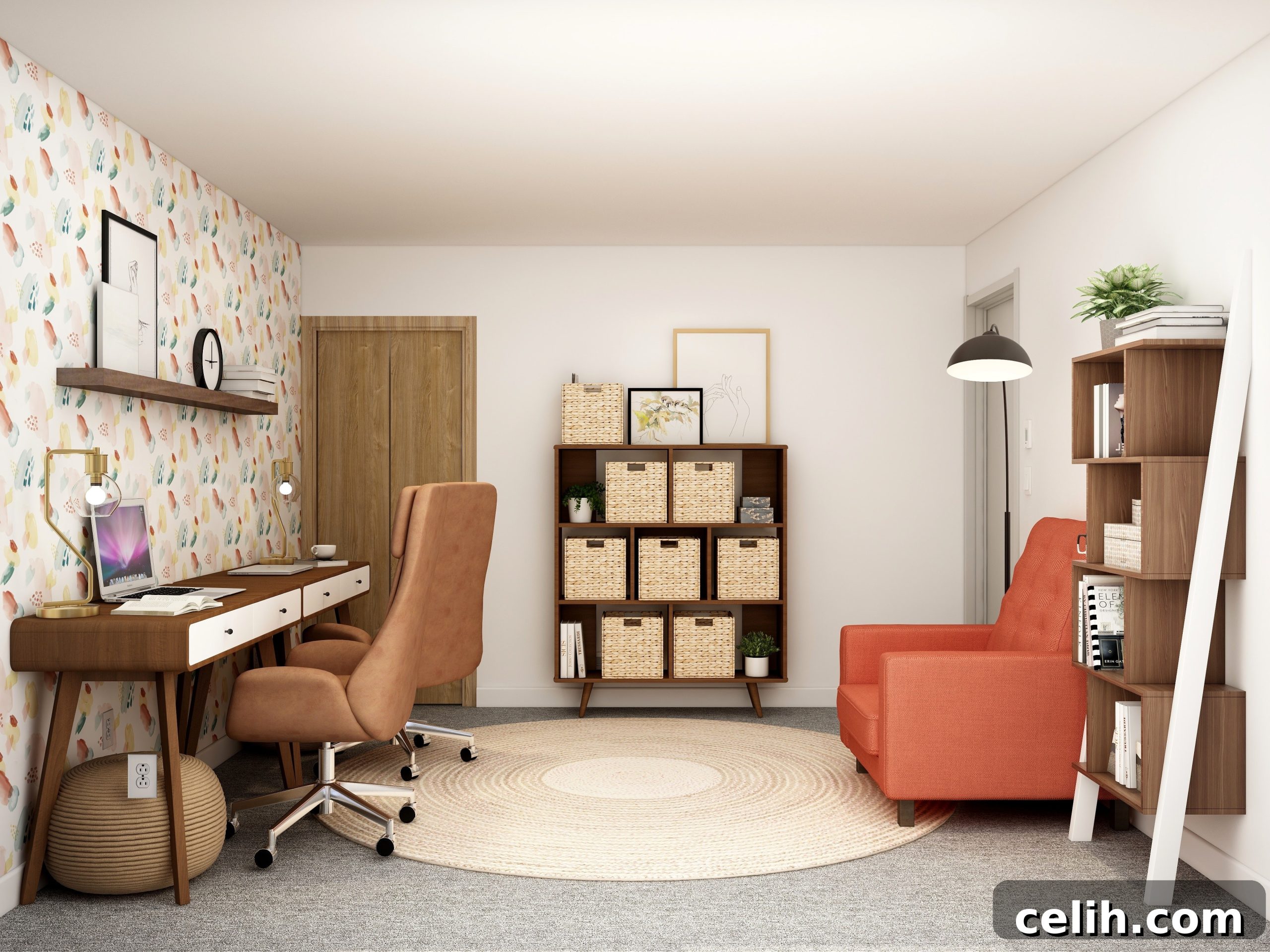
Mastering Your Remote Workspace: The Ultimate Guide to Designing a Productive Home Office
The global shift towards remote work has fundamentally reshaped professional landscapes. What was once a niche option has now become a mainstream reality, with millions worldwide embracing the flexibility and autonomy it offers. Following the seismic changes brought by COVID-19, the UK, for instance, has emerged as Europe’s work-from-home capital, reporting that up to 40% of its workforce operates remotely at various times throughout the year. This trend underscores a crucial need: for remote work to be sustainable and effective, it demands a thoughtfully designed workspace at home.
If you’re among the growing number of professionals working from home or considering making the transition, establishing a dedicated, efficient, and comfortable home office is not merely a luxury—it’s a necessity. A well-designed home office transcends just having a desk and a chair; it’s about crafting an environment that fosters focus, minimizes distractions, and supports your overall well-being. This comprehensive guide will walk you through the essential considerations for designing a home office that not only meets your professional needs but also seamlessly integrates into your home life.
Strategic Placement: Location and Space Optimization
The first step in creating your ideal home office is determining its location within your home. While not everyone has the luxury of a dedicated spare room, a functional home office can be carved out of surprisingly small or unconventional spaces. The key is to ensure it offers sufficient room to work comfortably and efficiently. Consider your daily tasks: do you need to move around frequently, or do you primarily sit at a desk? Your work style should dictate the space requirements.
Crucially, your office space should ideally be situated away from high-traffic areas and potential sources of distraction. A quiet corner of a bedroom, a converted closet, or even a well-organized nook in a living area can work, provided it offers a sense of separation from the hustle and bustle of family life. If possible, consider options for soundproofing or using noise-canceling headphones to minimize external disruptions, ensuring a tranquil environment conducive to deep work.
Ergonomics for Health and Productivity
Beyond mere location, the ergonomic setup of your workspace profoundly impacts your long-term health and daily productivity. Investing in ergonomic furniture isn’t just a comfort—it’s a preventative measure against strain, fatigue, and potential musculoskeletal issues. An adjustable desk, allowing you to alternate between sitting and standing, can significantly boost energy levels and reduce sedentary behavior. Pair this with an ergonomic chair that offers lumbar support, adjustable armrests, and seat depth to maintain proper posture throughout the day.
Monitor placement is equally vital. Position your screen at arm’s length, with the top of the monitor at or slightly below eye level. This helps prevent neck and eye strain. Ensure your keyboard and mouse are within easy reach, allowing your wrists to remain straight and relaxed. Proper ergonomics can transform your work experience, making long hours feel less taxing and helping you sustain focus.
Maximizing Small Spaces
For those with limited square footage, ingenuity is key. Think vertically: wall-mounted shelves, floating desks, and integrated storage solutions can make the most of every inch. Multi-functional furniture, such as a convertible desk that folds away when not in use or a storage ottoman that doubles as extra seating, can be incredibly valuable. Utilize corners effectively, and consider custom built-ins that fit your space precisely, offering bespoke solutions for both work and storage without overwhelming the room. Even a modest corner can become a highly effective home office with smart design choices.
Illuminating Your Workspace: The Power of Thoughtful Lighting
The right lighting is an indispensable element of a productive and healthy home office. Poor lighting can lead to an array of issues, including headaches, eye strain, fatigue, and even reduced morale. Conversely, an intelligently lit space enhances alertness, improves mood, and supports visual comfort, making it easier to concentrate for extended periods.
Your ideal lighting strategy should incorporate a blend of natural light and adjustable artificial sources. Bright, invigorating lighting tends to stimulate alertness and activity, perfect for tasks requiring high concentration. Softer, more diffused lighting might be better suited for more focused, stationary work or when winding down towards the end of the day. The optimal solution is a versatile setup that allows you to adjust light levels and color temperature throughout the day to match your tasks and natural circadian rhythms.
Harnessing Natural Light
Maximize natural light whenever possible. Position your desk to take advantage of windows, ideally with your monitor perpendicular to the window to avoid glare. If direct sunlight is an issue, sheer curtains or blinds can diffuse harsh light while still allowing natural brightness to filter in. Natural light not only reduces the need for artificial lighting but also has proven benefits for mood, energy levels, and overall well-being, helping to combat the feelings of isolation that can sometimes accompany remote work.
Strategic Artificial Lighting
Supplement natural light with a layered artificial lighting scheme. Start with ambient lighting, such as an overhead fixture or recessed lighting, to provide general illumination for the room. Then, add task lighting, like a good desk lamp, that can be directed precisely where you need it—on your keyboard, documents, or work surface. Choose lamps with adjustable brightness and color temperature settings, allowing you to switch between cool, bright light for focus and warmer, softer light for less intensive tasks or evening work. Accent lighting, such as small uplights or picture lights, can also be used to highlight decor or architectural features, adding depth and personality to your office.
Declutter and Conquer: Smart Storage and Organization Solutions
In the realm of remote work, organization isn’t just about aesthetics; it’s a direct pathway to enhanced productivity and reduced stress. A cluttered environment is a cluttered mind, making it harder to concentrate and find essential items. Depending on your profession, you might deal with a significant volume of paperwork, files, and various office supplies. Maximizing storage and shelving is crucial for maintaining a tidy, efficient, and modern-looking workspace that actively promotes focus.
Begin with a foundational piece: a robust desk equipped with ample drawers. This allows you to keep frequently used essentials—pens, notebooks, chargers—within easy reach while keeping your desktop clear and uncluttered. A clear desk is an open invitation for clear thinking. Beyond your desk, make the most of your vertical space. Install bookcases, wall-mounted shelves, and stylish open shelving units to store printers, binders, reference books, and other office necessities. Thoughtful organization will do wonders for your daily workflow and overall sense of calm.
Essential Storage Solutions
Consider a variety of storage types to meet different needs. Filing cabinets, whether traditional or modern lateral designs, are indispensable for managing physical documents. For items you want visible but contained, decorative baskets or storage boxes can be used on open shelves. Wall-mounted organizers, pegboards, and magnetic strips offer creative ways to store small items like scissors, post-it notes, or charging cables, freeing up desk space. Ensure everything has a designated place to minimize search time and maintain order.
Digital Organization Strategies
Don’t overlook the digital aspect of organization. A clean digital workspace is just as important as a tidy physical one. Implement consistent file-naming conventions, utilize cloud storage solutions for easy access and backup, and regularly clear out unnecessary files from your desktop and downloads folder. Tools for task management, project organization, and note-taking can further streamline your digital workflow, contributing to an overall sense of control and efficiency.
Fueling Creativity and Focus: Personalization and Inspiration
To truly thrive in your remote role, your home office must be more than just a functional area; it needs to be a source of inspiration and motivation. Injecting personality and aesthetic appeal into your workspace can transform it from a dreary necessity into a space you genuinely look forward to occupying. This personalization can significantly impact your mood, creativity, and sustained engagement throughout long working hours.
Simple touches can make a world of difference. Consider creating a mood board that reflects your aspirations or current projects, or perhaps apply a vibrant, uplifting wallpaper to a single accent wall. These elements can brighten the room and provide visual interest, preventing the monotony that can sometimes creep into a static workspace. Since you’ll be spending a significant portion of your day here, ensuring the environment is stimulating and pleasant is paramount to maintaining high levels of energy and focus.
While personal effects and wall art are excellent ways to make the space your own, it’s essential to strike a balance to avoid overwhelming the area with clutter. Select a few meaningful pieces that bring you joy or inspiration, but ensure they don’t infringe on your workspace or become distractions. The goal is to create an environment that feels uniquely yours without sacrificing functionality or organization.
The Psychology of Color and Decor
Colors have a powerful impact on our mood and productivity. Blues and greens are often associated with calmness and focus, while yellows can stimulate creativity and optimism. Consider a color palette that resonates with your work style and personality. Incorporating art, photographs, or mementos that evoke positive emotions can also serve as visual anchors, grounding you and providing small moments of inspiration throughout your day. Textures, too, play a role; natural wood, soft fabrics, or metallic accents can add warmth and sophistication.
Integrating Greenery for Vitality
Bringing nature indoors with plants is a simple yet effective way to enhance your home office. Plants not only add a touch of life and aesthetic beauty but also improve air quality, reduce stress, and can even boost concentration. Choose low-maintenance varieties like snake plants, ZZ plants, or Pothos if you’re not a seasoned gardener. Their presence can create a more serene and inviting atmosphere, fostering a connection to the natural world even when you’re indoors.
Seamless Integration: Technology and Connectivity
In today’s digital-first remote work environment, your home office is only as good as its technological backbone. A well-designed workspace must seamlessly integrate essential tech to ensure uninterrupted workflow, efficient communication, and high-quality output. Overlooking these elements can lead to frustrating technical glitches, lost productivity, and a diminished professional presence.
Essential Gadgets for Remote Work
Beyond your primary computer, a second monitor (or even a third) can dramatically increase your screen real estate and boost multitasking capabilities. Invest in a high-quality webcam and microphone for clear video calls, ensuring you present a professional image during virtual meetings. Comfortable, noise-canceling headphones are crucial for maintaining focus and participating in calls without external distractions. Don’t forget ergonomic peripherals like a comfortable mouse and keyboard to minimize strain during long hours of use. A reliable printer/scanner can also be invaluable, depending on your workflow.
Seamless Connectivity and Power Management
A fast, reliable internet connection is the lifeline of any remote worker. Ensure your Wi-Fi router is strategically placed for optimal signal strength in your office area. If necessary, consider using an Ethernet cable for a more stable connection, or Wi-Fi extenders to boost coverage. Power management is equally important. Utilize surge protectors to safeguard your valuable electronics from power fluctuations. Implement smart cable management solutions—such as cable ties, sleeves, or desk grommets—to keep wires tidy, prevent tangles, and maintain a clean, professional aesthetic. Nothing detracts from a carefully designed space like a chaotic mess of cables.
Conclusion: Crafting Your Productive Sanctuary
Designing an effective home office is an investment in your productivity, comfort, and overall well-being as a remote professional. By meticulously considering factors such as location, lighting, storage, personalization, and technology, you can create a workspace that is not merely functional but truly inspiring. Remember, your home office is more than just a place to work; it’s a personal sanctuary where ideas flourish, tasks are accomplished, and professional growth is fostered. Embrace these design principles to transform your remote work experience, making every workday an enjoyable and highly productive endeavor.