
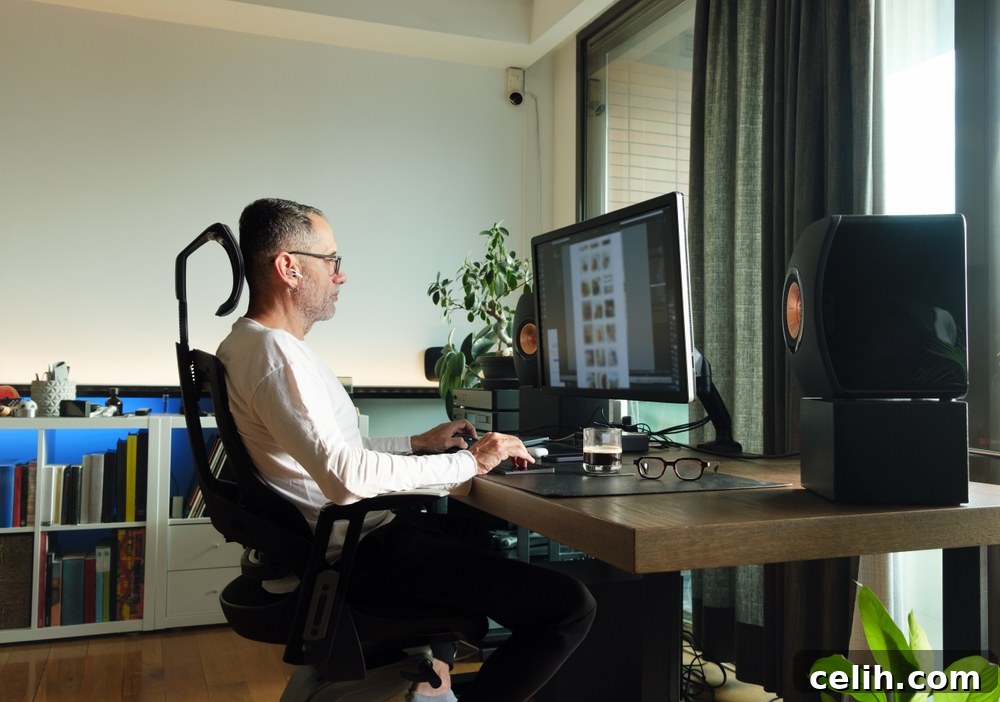
Transitioning to remote work has become a permanent fixture for many professionals, offering unparalleled flexibility and autonomy. However, to truly thrive in a work-from-home environment, it’s paramount to cultivate a workspace that not only inspires but also maximizes your efficiency and comfort. A haphazard setup can quickly lead to decreased productivity, increased stress, and even physical discomfort. By thoughtfully designing your home office, you can create a dedicated sanctuary for success, promoting focus, well-being, and a seamless integration of your professional life into your personal space. Below, we delve into the six critical elements essential for crafting an inviting, efficient, and ultimately productive home office that stands the test of time.
1. The Foundation: A Well-Suited Work Desk
The work desk isn’t just a surface; it’s the very foundation of your productive home office. Selecting the right desk is crucial for maintaining proper posture, preventing strain, and providing ample space for all your essential equipment. A desk that forces you to hunch or limits your movement can quickly lead to discomfort and fatigue, hindering your focus and long-term health. Consider desks that offer ergonomic design principles, promoting a natural and comfortable working position throughout your day. Beyond ergonomics, a clutter-free desk is vital for fostering a clear mind and focused work. This often means opting for desks with integrated storage solutions, such as drawers, shelves, or compartments. With smart storage, your essential items – pens, notebooks, external hard drives – are always within arm’s reach but neatly tucked away, eliminating visual distractions and allowing you to concentrate fully on your tasks. The right desk can significantly enhance your workflow, streamline your daily operations, and elevate your overall remote work experience.
Extra Tips for Your Desk:
- Embrace Versatility with Standing Desks: To combat the health risks associated with prolonged sitting, consider investing in a standing desk or an adjustable sit-stand desk converter. This allows you to effortlessly alternate between sitting and standing postures, improving circulation, reducing back pain, and boosting energy levels throughout your workday.
- Prioritize Ergonomic Dimensions: Ensure your desk provides sufficient legroom and is at an appropriate height. Your forearms should rest comfortably on the desk with your elbows at a 90-degree angle, and your feet should be flat on the floor or a footrest. Proper desk height is fundamental to preventing wrist, neck, and shoulder strain.
- Master Organization with Smart Solutions: Keep your desk immaculate and organized using dedicated desk organizers for stationery, innovative cord management solutions to tame cable clutter, and aesthetically pleasing storage boxes for documents or personal items. A tidy workspace is a direct reflection of a clear and focused mind, fostering greater productivity.
2. The Brain of Your Operation: Computer with Dual Screens
At the technological core of your remote work setup lies a reliable and robust computer system tailored to your specific professional demands. While the exact specifications may vary significantly based on your industry and role – a graphic designer will have different needs than a data analyst – common requirements typically include a swift processor, ample high-speed storage (preferably an SSD), and a capable graphics card to handle demanding applications. However, a singular screen can often feel restrictive in today’s multitasking-heavy work environment. The true game-changer for most remote professionals is the integration of dual monitors. This setup dramatically enhances work efficiency by expanding your digital canvas, enabling seamless multitasking without the constant need to switch between windows. Whether you’re comparing documents, coding, editing videos, designing complex layouts, or managing multiple communication platforms, two screens allow you to run different applications concurrently, visualize more data, and maintain an overview of your entire workflow. This not only saves valuable time but also reduces mental fatigue by minimizing navigation efforts and streamlining your digital interactions, thereby boosting your overall productivity significantly.
Extra Tips for Your Computer & Dual Screen Setup:
- Align Specifications with Your Professional Demands: Before purchasing, meticulously review your job’s software and processing requirements. A video editor, for instance, would prioritize a powerful multi-core processor and dedicated high-end graphics card, while a writer might focus more on RAM and storage for extensive document handling and research.
- Leverage Screen Management Software: To truly optimize your dual monitor workspace, utilize window management tools (e.g., FancyZones for Windows, Magnet for Mac, or built-in OS features). These applications allow you to quickly snap and organize windows into predefined layouts across your screens, maximizing screen real estate and improving workflow.
- Invest in High-Quality, Eye-Friendly Monitors: Prioritize monitors with high resolution (e.g., 1080p or 4K), good color accuracy, and adjustable brightness and contrast settings. Consider features like flicker-free technology and low blue light modes to significantly reduce eye strain during long working hours. Adjustable monitor arms can also help position screens at optimal eye level for ergonomic comfort.
3. The Navigator: An Effective Online Planner
In the dynamic world of remote work, where personal and professional boundaries can easily blur, a digital planner or online project management tool is not merely an accessory but an indispensable asset. It serves as your central command for organizing workload, meticulously tracking deadlines, scheduling critical meetings, and prioritizing tasks. The digital landscape offers a plethora of sophisticated best online planners, each boasting unique features designed to enhance individual and team productivity. These tools often extend beyond basic scheduling, incorporating advanced functionalities such as project management, task breakdown, collaborative features, and even habit tracking, making them invaluable for maintaining a structured and balanced work life. By providing a clear overview of your commitments and progress, an online planner significantly reduces mental clutter and anxiety, allowing you to approach your work with greater clarity and purpose. The key is to select a planner that resonates with your personal work style and aligns seamlessly with your team’s tools, ensuring it becomes a natural extension of your daily workflow. Leveraging these top-rated online planners effectively structures your day, guarantees deadlines are met, and is a critical factor in maintaining a balanced and highly productive remote working experience.
Extra Tips for Maximizing Your Online Planner:
- Seek Comprehensive Feature Sets: Look for planners that offer robust features like interactive to-do lists, customizable reminders, drag-and-drop scheduling, and the ability to share calendars or tasks with colleagues. Some even offer robust integrations with email, video conferencing, and other productivity apps.
- Ensure Seamless Cross-Device Synchronization: For ultimate flexibility and accessibility, choose a planner that seamlessly syncs across all your devices – desktop, laptop, tablet, and smartphone. This ensures you can access and update your schedule, tasks, and notes from anywhere, at any time, without missing a beat.
- Integrate with Your Ecosystem: Prioritize planners that offer strong integrations with other tools you regularly use for work, such as Slack, Microsoft Teams, Google Workspace, or project management software like Asana or Trello. This creates a cohesive digital ecosystem, minimizing data entry and maximizing workflow efficiency.
4. The Tangible Connector: A Reliable Printer
While the modern professional landscape increasingly champions digital-first approaches, the importance of a trustworthy printer in a home office cannot be overstated. Despite the push towards paperless environments, there will invariably be instances where a physical document is essential. Whether it’s printing an important contract requiring a wet signature, a client report for review, tax documents, or educational materials, having a printer readily available eliminates the hassle of searching for public printing services or relying on office visits. Depending on the nature of your work, your choice might range from a straightforward black-and-white laser printer, ideal for high-volume text documents, to a versatile color inkjet, perfect for visually oriented tasks, presentations, or graphic designs. Many contemporary printers also come equipped with multifunction capabilities, offering scanning and photocopying features that can prove incredibly handy, transforming a single device into an all-in-one document solution. Investing in a quality printer ensures you’re always prepared for any contingency, adding a layer of professionalism and convenience to your remote operations.
Extra Tips for Your Printer:
- Consider an All-in-One for Space Saving: If your printing needs are occasional but you frequently need to scan or copy documents, an all-in-one (multifunction) printer is an excellent space-saving solution. It consolidates multiple devices into one, ideal for compact home office environments.
- Opt for a Wireless Setup for Clean Aesthetics: For a streamlined, cord-free, and flexible home office aesthetic, choose a wireless printer. This allows you to place the printer virtually anywhere within your network’s range, reducing cable clutter and making your workspace feel more open and organized.
- Evaluate Running Costs: Beyond the initial purchase price, carefully consider the cost and availability of ink or toner refills for your chosen printer. Some printers have low upfront costs but expensive consumables, leading to higher long-term operating expenses. Researching page yield and cartridge pricing is a smart move for budget-conscious users.
5. The Comfort Crucial: An Ergonomic Chair
Given that a significant portion of your remote working hours will be spent seated, often for extended periods, an ergonomic chair transcends a mere luxury to become an absolute necessity. Investing in a high-quality, adjustable ergonomic chair is arguably one of the most impactful decisions you can make for your long-term health, comfort, and sustained work from home productivity. Such a chair is meticulously designed to provide targeted support to your lower back, lumbar region, and spine, actively promoting correct posture and alleviating pressure points that typically lead to discomfort and pain. Unlike standard office chairs, ergonomic models offer a multitude of adjustments – including seat height, depth, armrest position, and backrest recline – allowing you to customize the chair perfectly to your body’s unique contours and specific needs. This personalized fit is critical in preventing musculoskeletal issues, reducing fatigue, and enhancing concentration. A comfortable, supportive chair empowers you to focus on your work without the constant distraction of aches and pains, making it a critical component that contributes significantly to a healthier, more comfortable, and ultimately more productive remote work experience.
Extra Tips for Choosing Your Ergonomic Chair:
- Prioritize Extensive Adjustability: Look for a chair with multiple adjustment points: seat height and depth, armrest height and swivel, backrest height and tilt, and crucially, adjustable lumbar support. The more customizable the chair, the better it can conform to your unique body shape and promote proper spinal alignment.
- Opt for Breathable Materials: Choose a chair upholstered with breathable fabrics like mesh or certain types of fabric. These materials prevent heat buildup and sweating, ensuring greater comfort, especially during long working sessions or in warmer climates.
- Ensure Superior Lumbar Support: Adequate lumbar support is non-negotiable for preventing lower back pain. Your ergonomic chair should have a backrest that naturally follows the curve of your spine, providing firm yet comfortable support to your lower back. Adjustable lumbar support is a significant advantage, allowing you to fine-tune the pressure to your preference.
6. The Illuminator: Appropriate Lighting
Often overlooked but profoundly impactful, sufficient and well-designed lighting in your home workspace is paramount for reducing eye fatigue, maintaining concentration, and even influencing your mood throughout the workday. Poor lighting can lead to squinting, headaches, and increased strain on your eyes, rapidly diminishing your focus and overall well-being. Ideally, your home office design should prioritize natural light; positioning your desk near a window allows you to benefit from daylight, which is proven to boost mood, energy, and regulate your circadian rhythm. However, if your office space lacks ample natural light or if you work into the evenings, investing in good quality artificial light becomes essential. A combination of ambient (general room lighting) and task lighting (focused light for your immediate workspace) is usually most effective. Desk lamps that offer adjustable brightness levels and color temperatures can be a versatile solution, allowing you to match the varying light conditions through the day and adapt to different tasks, from reading documents to intense computer work. Thoughtful lighting creates a comfortable and energizing atmosphere, significantly contributing to sustained productivity and eye health.
Extra Tips for Optimizing Your Workspace Lighting:
- Maximize Natural Light: Whenever possible, position your desk to face a window or be parallel to it. This arrangement leverages natural light to its fullest potential, providing bright, diffuse illumination that is gentle on the eyes and can enhance your mood and alertness. Avoid placing your back to a window, as this can create glare on your screen.
- Invest in a Versatile Desk Lamp: Choose a desk lamp with features like adjustable brightness (dimmable), different light modes (cool white for focus, warm white for relaxed tasks), and a movable arm. This flexibility allows you to customize the light according to the time of day, the specific task at hand, and your personal preferences, minimizing shadows and glare.
- Mitigate Blue Light Exposure: Prolonged exposure to blue light emitted from computer screens can contribute to eye strain, sleep disturbances, and digital eye fatigue. Consider using software (like f.lux or Night Light in Windows) that adjusts screen color temperature, or invest in anti-blue light glasses to protect your eyes, especially during evening work sessions.
By thoughtfully integrating these six core elements into your home office, you are not just setting up a workspace; you are consciously creating an environment engineered for success. A well-planned and ergonomically sound home office transcends mere functionality; it has the transformative power to significantly boost productivity, mitigate stress, reduce physical discomfort, and ultimately elevate your entire remote working experience. Invest in these foundations, and you’ll discover a more focused, efficient, and enjoyable journey in your professional endeavors from the comfort and convenience of your own home.