
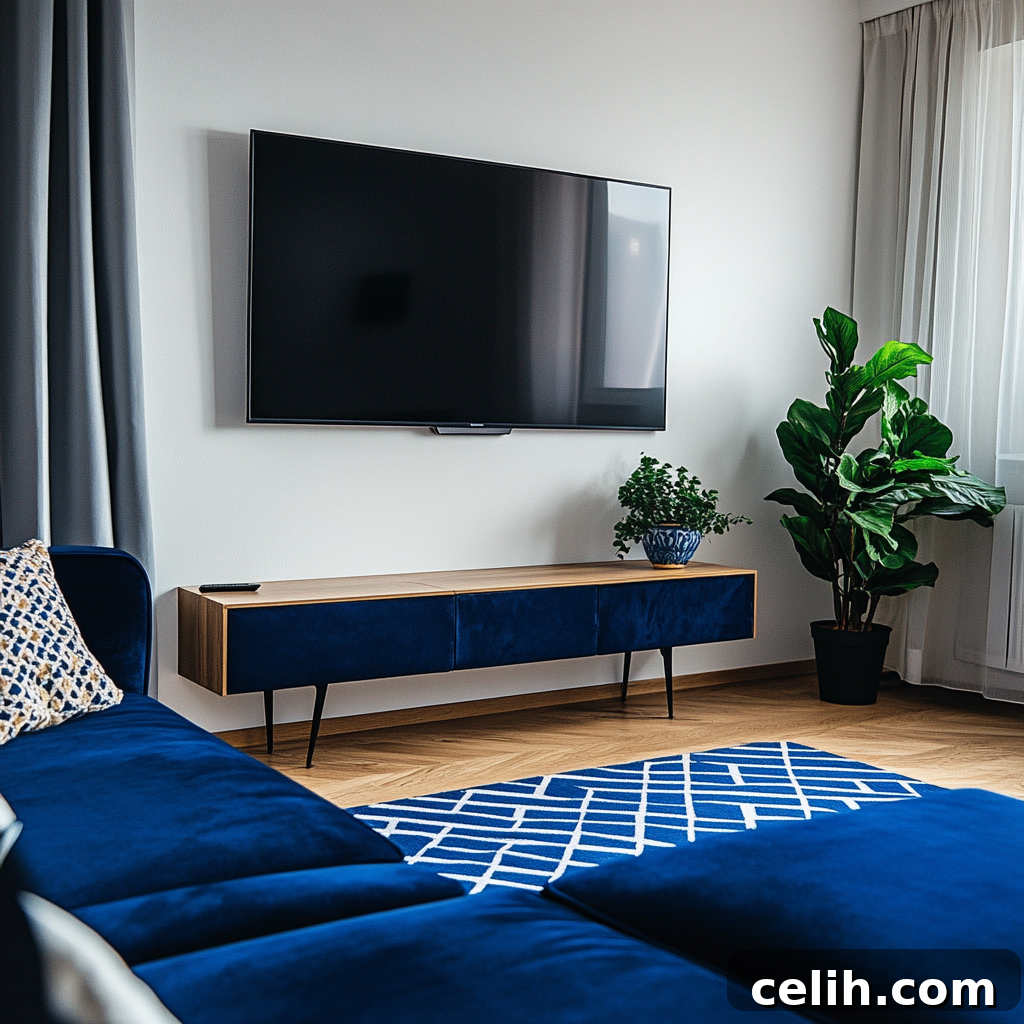
Picture this: you’ve settled in for a relaxing movie night, ready to unwind, but find yourself constantly craning your neck, battling an uncomfortable viewing angle. Sound familiar? It’s a common scenario, and it quickly turns a cozy evening into a chiropractic visit waiting to happen. While elegant gallery walls and striking fireplace focal points are undeniably beautiful, there’s one critical design element that demands precise attention for both comfort and aesthetics: How high should a TV be mounted on the wall?
This isn’t merely an aesthetic choice; the ideal TV mounting height profoundly impacts your viewing comfort, the overall harmony of your living space, and yes, your neck and eye health. If you’ve ever searched for “best height to hang TV,” “TV wall mount height,” or “correct TV placement for living room,” you’re on the right path. This comprehensive guide is designed for anyone revamping their entertainment area, establishing a new media room, or simply seeking the optimal spot for a newly acquired television. We’ll delve into the science and art behind perfect TV positioning, ensuring your home entertainment setup is as comfortable as it is stylish.
We’ll cover everything from precise screen height calculations and personal eye-level measurements to understanding optimal viewing distances and selecting the most suitable wall mount. This guide combines practical design principles with essential technical insights, empowering you to create an ergonomic and visually appealing entertainment hub in any room.
The Golden Rule for TV Mounting: Eye Level is Paramount
Let’s cut straight to the chase and establish the fundamental principle: The absolute best height to hang your television is such that the center of the screen aligns with your eye level when you are comfortably seated in your primary viewing position. While this might sound deceptively simple, achieving it perfectly requires a bit of personalized planning. The goal is to minimize upward or downward gaze, which causes strain over time. Your eyes should naturally fall to the middle of the screen, allowing for a relaxed and immersive viewing experience.
For most adults seated on a standard sofa, average eye level typically falls between 38 to 42 inches from the floor. This means the dead center of your television—not its bottom edge, nor its top—should ideally rest within this range. However, this is just a starting point. Modern televisions come in an astonishing array of sizes, from compact 42-inch screens to cinematic 85-inch behemoths. The larger the screen, the more critical precise placement becomes. Therefore, fine-tuning the TV wall mount height to match your specific screen size and room dynamics is essential for ultimate comfort.
Step 1: Discover Your Personal Eye Level
This crucial first step ensures your TV placement is customized to you and your seating arrangement. Grab a tape measure and sit down on your main sofa or armchair—the one you’ll use most often for watching TV. Sit naturally, as if you’re about to enjoy a show, looking straight ahead. Have a friend measure the distance from the floor directly to your eyes. If you’re flying solo, you can mark the wall lightly at your eye level, then measure from the floor to that mark.
For the average person, this measurement typically lands anywhere between 38 to 42 inches. However, variations exist based on your height, the design of your sofa (some are lower-slung, others higher), and your preferred sitting posture. This unique number is your personal “seated eye level”—it’s the bedrock for all subsequent TV mounting decisions and will guarantee a truly ergonomic setup.
Step 2: Calculate the Center Point of Your TV
Once you know your personal eye level, the next step is to align the center of your television with this measurement. To do this accurately, you’ll need the total vertical height of your TV screen (excluding any stand or external bezel, focus on the screen dimensions). Here’s a general guide for common TV sizes, providing approximate screen heights:
- A 42-inch TV is typically around 20.5 inches tall.
- A 55-inch TV measures approximately 27 inches in height.
- A 65-inch TV is generally around 32 inches tall.
- A 75-inch TV often clocks in at about 37 inches tall.
- An 85-inch TV can be around 42 inches tall.
To find the exact center of your TV screen, simply divide its total vertical height by two. For instance, if you have a 65-inch television that is 32 inches tall, its vertical center point is 16 inches (32 / 2 = 16 inches). Now, to determine where the bottom edge of your TV should be mounted, subtract this half-height from your personal eye level. If your eye level is 42 inches and your 65-inch TV’s half-height is 16 inches, then the bottom edge of your TV should be mounted at approximately 26 inches from the floor (42 – 16 = 26 inches). This precise calculation ensures that the most comfortable viewing experience is achieved, with the screen’s sweet spot perfectly aligned with your gaze.
Step 3: Mastering the Ideal Viewing Distance
This often-overlooked factor is just as critical as mounting height for an optimal and immersive viewing experience. The viewing distance refers to how far you sit from your screen. There’s a “sweet spot” where your entire screen comfortably fills your field of vision without requiring your eyes to dart around, reducing strain and enhancing immersion. Sitting too close can make pixels noticeable and cause eye fatigue, while sitting too far diminishes the cinematic experience and detail.
The ideal viewing distance is directly related to your TV’s screen size. Here are some widely accepted recommendations:
- For a 42-inch TV, aim for 5.5 to 8.5 feet away.
- For a 55-inch TV, target 7 to 11.5 feet.
- For a 65-inch TV, a distance of 8 to 13.5 feet is ideal.
- For a 75-inch TV, position your seating 9.5 to 15.5 feet away.
- For an 85-inch TV, consider 10.5 to 17 feet for optimal viewing.
These ranges allow you to take in the entire screen comfortably. If your primary seating is significantly outside these ranges, you might consider adjusting your furniture layout, investing in a larger screen, or exploring an articulating wall mount to bring the screen closer when needed. Harmonizing the TV screen height with the correct viewing distance creates a truly comfortable and enjoyable home theater environment.
The Fireplace Dilemma: Mounting Above or Finding Alternatives?
Mounting a television above a fireplace is a perennially popular design choice for its aesthetic appeal, creating a singular focal point in a room. However, from an ergonomic perspective, it’s often far from ideal. Fireplace mantels inherently elevate the screen to a height that almost always forces viewers to look significantly upward, leading to uncomfortable neck strain and diminished picture quality due to off-axis viewing.
Beyond ergonomics, there are practical concerns. The heat generated by a working fireplace can potentially damage sensitive electronic components over time, shortening the lifespan of your television. While many modern fireplaces are better insulated, it’s a risk to consider. If the fireplace is your absolute last resort for placement, here are some strategies to mitigate the drawbacks:
- Utilize a Tilting Wall Mount: This is almost a necessity for fireplace mounting. A tilt mount allows you to angle the screen downwards, redirecting the visual plane closer to your natural eye level and reducing glare.
- Consider a Pull-Down Mount: For the ultimate solution, specialized pull-down fireplace mounts allow you to literally lower the TV to eye level when in use and retract it above the mantel when not. These are pricier but offer the best of both worlds.
- Optimize Seating Distance: Sit farther back from the TV. An increased viewing distance can slightly lessen the severity of the upward angle, making it less strenuous on your neck.
- Integrate with Design: Opt for a “Frame TV” (like Samsung’s popular model) or build the TV into a recessed nook above the fireplace. This transforms the screen into a piece of art when off, blending it seamlessly into your decor and making the high placement less visually jarring.
The primary goal should always be screen height comfort, even when striving for a chic aesthetic. With thoughtful planning and the right mounting solution, you can achieve both a stylish and ergonomic setup above your fireplace.
Selecting the Right Wall Mount for Your TV
Choosing the correct TV wall mount is foundational to achieving the perfect viewing height and maximizing your space. Each type offers distinct advantages depending on your room layout, desired flexibility, and specific mounting challenges. Understanding these options will help you make an informed decision for your ideal setup.
1. Fixed Mount (Low-Profile Mount)
- Best for: Achieving a sleek, minimalist look where the TV remains in a single, unchanging position. Ideal for rooms where the perfect viewing angle is consistently met by your seating arrangement.
- Limitations: Offers no adjustability for tilt, swivel, or extension. Once installed, the TV’s position is static.
- Perfect if: You’ve meticulously calculated the ideal TV mounting height and viewing distance, and your seating is directly in front of the screen. Fixed mounts are often the thinnest, making the TV appear almost flush with the wall.
2. Tilting Mount
- Best for: Situations where the TV must be mounted slightly above eye level (e.g., above a fireplace, in a bedroom, or in a higher-traffic area). It’s also excellent for reducing glare from overhead lights or windows.
- Pros: Allows the screen to tilt downwards by a few degrees (typically 5-15 degrees), which can significantly improve the viewing angle and reduce neck strain when looking up.
- Perfect if: You cannot mount the TV precisely at eye level due to furniture, architectural features, or specific room usage, but still want to achieve a better, more comfortable viewing angle.
3. Full-Motion (Articulating or Swivel) Mount
- Best for: Highly flexible rooms, open-plan living areas, corner placements, or spaces with multiple viewing zones.
- Pros: Provides the most versatility, allowing the TV to swivel side-to-side, tilt up and down, and extend out from the wall. This makes it possible to adjust the screen for optimal viewing from various seating positions or even different rooms.
- Perfect if: You need to angle the TV towards different seating areas, minimize glare at different times of the day, access the back of the TV for cable management, or simply want the ultimate control over your viewing experience.
The type of mount you choose can act as a crucial tool to either perfectly set your TV height on wall or compensate for less-than-ideal mounting locations, ensuring comfort and functionality.
Avoiding Common TV Mounting Missteps
Even with the best intentions, several common errors can undermine your efforts to achieve the perfect TV setup. A little foresight can prevent a lot of frustration and discomfort later on. Here’s a quick checklist of pitfalls to avoid when determining how high your TV should be:
- Mounting Too High: This is arguably the most prevalent mistake, particularly above fireplaces or in rooms where space is limited. An overly high TV forces you to constantly tilt your head back, leading to neck pain, eye strain, and a generally uncomfortable viewing experience. Remember, eye level is key for seated viewing.
- Forgetting About Existing Furniture: Don’t overlook how your media console, soundbar, or other furniture pieces will interact with the TV’s placement. A console that’s too tall can block the bottom of the screen or make the entire setup feel unbalanced. Plan your TV height in conjunction with your chosen furniture.
- Neglecting Cable Management: Visible wires are an aesthetic nightmare and can quickly detract from even the most perfectly mounted TV. Plan for cord concealment from the outset. Options include in-wall cable management kits (ideal during construction or renovation), paintable cord covers, or strategically placed furniture to hide wires.
- Skipping the Level: A crooked TV, even by a tiny fraction, is incredibly distracting. Always use a reliable level (a digital one is often best for precision) and double-check your measurements before drilling any holes. A laser level can be particularly helpful for marking pilot holes accurately.
- Failing to Locate Wall Studs: Your television, especially larger models, is a significant investment and quite heavy. Mounting directly into drywall without proper anchors or, preferably, into robust wall studs is a recipe for disaster. Always use a high-quality stud finder and appropriate wall anchors rated for your TV’s weight. Safety first!
- Ignoring Glare and Reflections: While not directly about height, considering ambient light sources (windows, lamps) that might cause glare on your screen is crucial. Experiment with different wall placements or plan for window treatments to mitigate reflections, enhancing your viewing experience.
Where Style Meets Function: Designer-Approved Tips for TV Integration
Achieving the optimal TV wall mount height doesn’t mean sacrificing style. In fact, thoughtful integration can elevate your entire living space. Here’s how to ensure your television enhances, rather than dominates, your interior design:
1. Seamlessly Blend It In
Treat your TV as an integral part of your decor. Consider framing it within a gallery wall, surrounding it with built-in shelving, or incorporating it into a larger media unit. Innovative solutions like Samsung’s “The Frame TV” or LG’s “Gallery TV” are designed specifically to mimic artwork when turned off, making the screen almost disappear into the wall decor. This approach creates visual continuity and prevents the black rectangle from becoming an obtrusive focal point.
2. Pair with a Low-Profile Console
Even with a wall-mounted TV, a stylish media console or credenza beneath it serves multiple purposes. It visually anchors the television, making the arrangement feel more grounded and less like a floating box. A low-profile console maintains an open, airy feel while offering essential storage for entertainment devices (cable boxes, gaming consoles), soundbars, and those inevitable remote controls. Choose a console that is wide enough to extend slightly beyond the TV’s width for a balanced look.
3. Use Dark Wall Colors for Subtlety
Painting the wall behind your TV a darker, muted color (such as charcoal gray, deep navy, or even black) or applying dark wallpaper can work wonders. This strategy not only helps the television recede into the background when not in use but also reduces glare, enhancing perceived contrast and making the picture appear more vibrant. It creates a sophisticated, theater-like ambiance.
4. Embrace the “Floating” Look
For an ultra-modern and minimalist aesthetic, consider foregoing a console altogether and letting the TV “float” elegantly on the wall. This requires meticulous planning for wire concealment, as every cable must be perfectly hidden within the wall for a truly clean finish. When executed flawlessly, this creates a sleek, uncluttered focal point that emphasizes the TV’s slim profile.
Your Quick Reference: Wall Mount TV Height Cheat Sheet
For those who prefer a straightforward summary or need a quick reference during installation, this table provides approximate mounting heights. These calculations assume an average seated eye level of 42 inches from the floor, aligning the center of the TV screen with your eyes.
| TV Size (Diagonal) | Approx. TV Height (Vertical) | Half Height (Center to Edge) | Ideal Mounting Height (to TV Center) | Approx. Bottom Edge Height From Floor |
|---|---|---|---|---|
| 42″ | 20.5″ | 10.25″ | 42″ | 31.75″ |
| 55″ | 27″ | 13.5″ | 42″ | 28.5″ |
| 65″ | 32″ | 16″ | 42″ | 26″ |
| 75″ | 37″ | 18.5″ | 42″ | 23.5″ |
| 85″ | 42″ | 21″ | 42″ | 21″ |
Use this guide as a starting point. Always remember to measure your personal eye level and your specific TV’s dimensions for the most accurate and comfortable placement. This cheat sheet is particularly handy when you’re comparing different TV sizes or explaining the optimal height to a partner or installer.
Mastering Bedroom TV Height for Ultimate Relaxation
The allure of unwinding with your favorite show from the comfort of your bed is undeniable. However, the rules for bedroom TV mounting height differ significantly from living room setups, primarily because your viewing position is almost always reclined or lying down. This changes your line of sight, necessitating a different approach to ensure ergonomic comfort.
Rule of Thumb: Slightly Above Reclined Eye Level
When you’re lying back in bed, perhaps propped up by a pillow or two, your gaze naturally angles upwards. Therefore, the ideal bedroom TV wall mount height will typically be higher than in a living room. The goal is to place the screen so you don’t have to crane your neck up excessively, nor look down, allowing your eyes to comfortably fall on the center of the screen.
Here’s a simple method to determine your personalized bedroom TV height:
- Assume Your Preferred Viewing Position: Lie on your bed exactly as you would when watching TV – with your usual pillows, on your back or side, whatever is most comfortable.
- Mark Your Line of Sight: Have a friend place a small, temporary mark on the wall directly at your eye level. If you’re alone, you can use a laser pointer, a piece of string held taut to the wall, or simply measure from the floor to where your eyes naturally gaze.
- Measure Your “Reclined Eye Level”: Measure the distance from the floor to this mark. This is your personal reclined eye level, and it’s where the center of your TV should ideally be positioned.
Generally, for most beds and viewing habits, the center of the TV screen in a bedroom will land somewhere between 48 to 60 inches from the floor. This range accounts for variations in bed height, mattress thickness, and the number of pillows used.
Bedroom TV Mounting Guidelines by Screen Size
Once you have your personal reclined eye level, you can use these general guidelines, assuming an approximate eye level of 50-55 inches for smaller TVs and 55-60+ inches for larger ones, adjusting for your specific measurement:
| TV Size (Diagonal) | Approx. TV Height (Vertical) | Suggested Center Height (from floor) | Approx. Bottom Edge Height From Floor |
|---|---|---|---|
| 42″ | 20.5″ | 50–55″ | 39.75–44.75″ |
| 55″ | 27″ | 55–60″ | 41.5–46.5″ |
| 65″ | 32″ | 58–62″ | 42–46″ |
| 75″ | 37″ | 60–65″ | 41.5–46.5″ |
These figures are starting points. Always prioritize your personal comfort and measured eye level for the most accurate ideal TV height in the bedroom.
Bonus Tip: The Indispensable Tilt Mount for Bedroom Bliss
Given the upward viewing angle from a reclined position, a tilting wall mount is an absolute game-changer for bedroom televisions. It allows you to angle the screen downwards toward your line of sight, drastically improving comfort, minimizing glare from windows or ceiling lights, and enhancing picture quality. Even if you can’t achieve the perfectly calculated height, a tilt mount can effectively compensate for minor discrepancies, providing a superior viewing experience.
Bedroom Designer Tips for a Serene Space:
- Embrace Minimalist Aesthetics: In the bedroom, simplicity reigns. Consider floating the TV on the wall without a bulky cabinet underneath to maintain a streamlined, peaceful atmosphere conducive to rest.
- Flawless Cable Concealment: Visible cords disrupt the tranquil ambiance of a bedroom. Invest in an in-wall cable management kit or use paintable cord covers that blend seamlessly with your wall color.
- Consider a Frame TV: To prevent your bedroom from feeling like a sports bar, a Frame TV can display calming artwork or personal photos when not in use, integrating beautifully with your decor.
In Conclusion: Prioritize Your Viewing Comfort
Ultimately, the “best” TV mounting height isn’t a one-size-fits-all number; it’s the placement that allows you to comfortably enjoy your favorite content without neck strain, eye fatigue, or visual discomfort. Whether you’re furnishing a spacious living room, optimizing a compact apartment, or designing a cozy bedroom retreat, achieving the perfect screen height, aligned with your personal eye level, and considering the ideal viewing distance is entirely attainable with a bit of careful planning and measurement.
While aesthetics are certainly important in home design, comfort and ergonomics should always take precedence when it comes to your entertainment setup. The good news is that with the right type of wall mount and a few smart design decisions, you absolutely do not have to sacrifice one for the other. By following the steps and tips outlined in this guide, you can create an entertainment space that is both visually stunning and profoundly comfortable.
So, take a deep breath, measure twice (or even thrice!), drill once, and prepare to immerse yourself in perfectly positioned, glorious high-definition entertainment.
Have specific layout questions or a unique challenge in your space? Feel free to share them in the comments below – I’m always happy to help navigate design dilemmas!